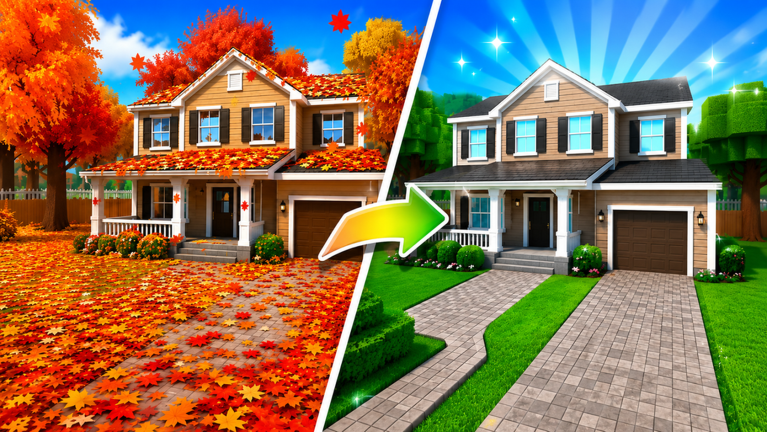
Garden Cleaner Evolution controls are straightforward on paper — move, sweep leaves, sell, upgrade — but Roblox cross-platform play and incremental shop menus add details worth learning early. This guide covers PC and mobile input, vendor and rebirth UI navigation, camera comfort for ASMR sessions, and etiquette in shared servers with up to eight players.
Pair this page with How to Play for efficient routes and Getting Started if you have not finished the tutorial yard yet.
PC controls — keyboard and mouse
Movement — Standard Roblox WASD or arrow keys move your character through garden zones. Hold shift to sprint only if the game enables sprint in your current area; many incremental simulators gate sprint behind upgrades rather than default bindings.
Camera — Right-click drag or hold right mouse button to rotate the camera. Scroll wheel zooms. A stable angle that shows the widest leaf field reduces missed swipes and helps you spot competing sweepers in busy servers.
Sweeping / interact — Primary click on leaf piles or hold click for continuous sweeping depending on shop upgrades. Some broom tiers extend hold-to-sweep across multiple tiles; test in the starter yard after each purchase.
Jump — Spacebar clears low obstacles in certain zones. Rarely core to farming but required for some secret paths documented in Secrets.
Menu and shop — Escape opens Roblox system menu; in-game shop buttons usually sit as on-screen icons. Click deliberately — misbuys hurt more than mis-swipes. Confirm costs before buying resettable broom tiers near Rebirth thresholds.
Chat — Enter opens Roblox chat for trading tips or party coordination in shared servers. Keep chat minimal during competitive spawn windows if you are grinding seriously.
Mobile controls — touch and gesture
Movement — Virtual joystick on the left side of the screen. Sensitivity varies by device; smaller joysticks benefit from Roblox mobile settings adjustments in the Roblox app, not inside Garden Cleaner Evolution alone.
Camera — Drag with a second finger on the right half of the screen. Pinch to zoom. Mount tablets flat or use a stand for longer ASMR sessions to reduce wrist strain.
Sweeping — Tap leaf piles or drag across clusters depending on broom tier. Continuous drag sweeping mirrors PC hold-click when unlocked. Fatigue sets in faster on mobile — take breaks consistent with relaxed ASMR pacing.
UI taps — Shop, inventory, quest tracker, and area teleport icons cluster along screen edges. Mis-taps purchase upgrades accidentally; zoom UI via Roblox settings if buttons feel cramped.
Mobile performance — Lower graphics in Roblox settings if frame drops cause missed swipes during dense leaf spawns.
Shop, sell, and rebirth UI tips
Vendor interactions — Walk into sell zones or tap vendor NPCs when prompted. Auto-sell upgrades change whether you must confirm each sale; read tool descriptions in Upgrade Priority before assuming one-click behavior.
Shop categories — Brooms, bags, multipliers, and cosmetics may sit in separate tabs. Compare stat lines, not thumbnail art, when Best Tools Tier List ranks categories over named items.
Rebirth screen — Shows multiplier gain versus lost levels. Open before marathon spending sessions; the Rebirth Guide explains when the confirm button beats another upgrade.
Quest tracker — Usually accessible from a side icon. Links to Quests and Titles objectives; pin it open while hunting title rewards.
Codes redemption — If the game exposes a codes box in UI, paste official codes from Codes carefully — no extra spaces. Roblox also supports code entry on the website for some experiences.
ASMR comfort and accessibility
Salient Experiences designed Garden Cleaner Evolution around satisfying sweep feedback. Controls can support calm pacing instead of hyper-efficient clicking:
- Lower mouse sensitivity or joystick deadzone for smooth arcs
- Reduce Roblox music volume while keeping sweep SFX audible
- Use third-person camera slightly elevated to watch leaf patterns rhythmically
- Enable Roblox accessibility options such as larger text where supported
- Session timers: twenty-minute breaks prevent repetitive strain from endless dragging
Speed runners in full servers may crank sensitivity; ASMR players often prefer the opposite. Choose inputs that keep sessions enjoyable across days, not one frantic hour.
Shared server awareness
With eight players online, movement choices affect others. Avoid circling another player’s cluster, blocking vendor doors, or spamming teleports that bump avatars. Competitive spawn claiming is part of online play — use camera awareness rather than collision tricks that frustrate neighbors.
Report bugs through Roblox standard channels if controls desync after patches listed on Updates Hub.
Controller and other platforms
Roblox supports gamepad input on some clients. Shoulder buttons may map to jump or menu; sweeping usually maps to triggers or face buttons depending on Roblox’s gamepad mode. Test in a low-stakes yard before rebirth grinding on controller.
Console Roblox players follow the same UI flow with focus navigation on menus; shop misbuys remain the main risk — navigate slowly on rebirth confirm dialogs.
Related pages
- Controls Hub — Overview of this section
- Quests and Titles — Milestone objectives using the same UI
- How to Play — Routing and efficiency
- Getting Started — Tutorial completion checklist
- Upgrade Priority — Shop purchases accessed through these menus
Frequently Asked Questions
Quick answers for Garden Cleaner Evolution players.
How do I sweep leaves on PC?
Move with WASD and use primary click on leaf piles. Higher broom tiers may allow hold-click to sweep continuously across nearby tiles.
How do mobile sweeps work?
Tap piles or drag across leaf clusters with your finger. Use two-finger drag to rotate camera and pinch to zoom for better field of view.
Where is the rebirth menu?
Rebirth UI is accessed from an in-game icon, usually near progression or shop menus. Open it before large purchases to avoid wasting resettable upgrades.
How can I make controls more comfortable for ASMR play?
Lower sensitivity, raise camera angle slightly, keep sweep sound effects audible, and take breaks to avoid repetitive strain from long drag sessions.
Do controls change after game updates?
Salient Experiences may remap UI icons or add new menus in patches. Check Updates hub and refresh this page when patch notes mention interface changes.